- Published on
7 Production-Ready Open-Source Workflow Orchestration Tools for 2026
- Authors

- Name
- Almaz Khalilov
7 Production-Ready Open-Source Workflow Orchestration Tools for 2026
Brittle spreadsheets and pricey SaaS subscriptions are holding many operations back.
If you’re still emailing tasks around or paying steep per task fees for automation, it’s time for a change. Many automation platforms become increasingly expensive as your usage grows, often costing well over $100 per month at scale and that’s before considering data leaving Australia’s borders. Open-source workflow orchestrators eliminate these headaches by letting you automate on your own terms, with no recurring license fees, no vendor lock-in, and full control over your data.
Why This List Matters Australian businesses face unique pressures around data privacy and compliance. The Privacy Act 1988 tightly regulates how personal info is handled, and data sovereignty means keeping sensitive data under Australian jurisdiction. Open-source, self-hosted solutions let you run your workflow automations on Aussie soil to stay compliant – all while avoiding vendor lock-in and license fees. Plus, aligning with best practices (from cyber frameworks like the ACSC’s Essential Eight) is easier when you control the code and infrastructure.
How to Get Started with Open-Source Workflow Orchestration Tools
Getting up and running is easier than you might think. Check out the video at the top of this page – it walks through installing and running one or two of these tools step-by-step (for example, setting up n8n with Docker and building a simple Slack alert workflow). Here’s a quick game plan:
- Watch the VSL (Video) – The video demo shows how to deploy an orchestrator (no coding needed) and create your first automation, from initial install to a live workflow.
- Pick your first tool – Start with the simplest platform that meets an immediate need. If you want a no-code Zapier alternative, try Activepieces or Automatisch. Need heavy data pipelines? Maybe begin with Airflow.
- Choose where to host it – Decide on running it on a local server, on-prem data center, or an Australia-region cloud (to keep data residency simple). All these tools support flexible deployment.
- Follow the quick-start guide – Each project has excellent docs. Head to the README or docs site for a 5-minute quick-start (we’ve linked them below) and note the 3–5 key setup steps (often just a Docker command or two).
- Run a small pilot – Set up one real workflow relevant to your business and share it with a small internal group. For example, automate a daily report email or an alert for a key event. Prove it out on a small scale, then iterate.
Shared Wins Across Every Tool
- Zero license fees & transparent code base
- Active community support & rapid feature evolution
- Flexible self-hosting for data sovereignty in Australia
- No vendor lock-in – migrate or fork at any time
Tools at a Glance
- n8n – Fair-code automation platform with a powerful visual editor that allows users to build complex workflows by connecting apps, APIs, and services using drag-and-drop nodes, while still supporting custom logic and self-hosting (⭐173k on GitHub).
- Activepieces – AI-powered no-code workflow automation tool designed to help teams quickly create integrations between apps using a simple interface, making automation fast and accessible for both technical and non-technical users (⭐20k on GitHub).
- Apache Airflow – Battle-tested data pipeline orchestration platform used to define, schedule, and monitor complex workflows in Python, widely adopted in enterprise data engineering and analytics environments (Apache, ⭐44k).
- Huginn – Automation system that lets users build custom “agents” to monitor events, collect data, and trigger actions across the web, acting as a flexible open-source alternative to IFTTT-style automation services (open-source IFTTT, ⭐48k).
- Kestra – Modern event-driven workflow orchestrator built for cloud-native environments, offering scalable execution, real-time triggers, and easy-to-manage pipelines through configuration-based workflows (fast-growing, ⭐26k).
- Automa – Low-code browser automation tool delivered as a browser extension that helps users automate repetitive web tasks such as form filling, clicking, scraping data, and workflow execution without writing scripts (⭐21k).
- Automatisch – Self-hosted open-source automation platform similar to Zapier that connects apps and services through workflows while keeping all data on your own infrastructure for better privacy and control (keep data on your servers, ⭐13.6k).
Quick Comparison
| Tool | Best For | License | Cost (AUD) | Stand-Out Feature | Hosting | Integrations |
|---|---|---|---|---|---|---|
| n8n | Tech-savvy teams needing flexible automations | Fair-code (Sustainable Use) | $0 (self-host) | Visual workflows plus custom code nodes | Self-host or n8n Cloud | 400+ integrations |
| Activepieces | Non-developers building AI-powered automations | MIT (Community) | $0 (self-host) | AI-first no-code builder with extensible framework | Self-host or Activepieces Cloud | 200+ connectors |
| Apache Airflow | Data engineering and ETL pipelines | Apache 2.0 | $0 (self-host) | DAG-based scheduling for complex workflows | Self-host or managed services | Many provider modules |
| Huginn | Fully customizable automation (IFTTT-style) | MIT | $0 (self-host) | Event-driven “agents” for APIs and scraping | Self-host | Highly extensible |
| Kestra | Large-scale batch and event workflows | Apache 2.0 | $0 (OSS self-host) | YAML-defined flows with 1100+ plugins | Self-host or managed cloud | 1100+ plugins |
| Automa | Browser task automation | AGPL-3.0 | $0 | Visual in-browser automation editor | Browser extension | Any website |
| Automatisch | Self-hosted Zapier alternative | AGPL-3.0 | $0 (self-host) | Data stays on your own servers | Self-host or cloud | 80+ apps |
Deep Dives
Let’s dive deeper into each tool – what makes it shine, how active its community is, security considerations, and pricing/hosting options.
n8n

n8n is a secure workflow automation platform that gives you the flexibility of custom code with the speed of no-code. It features a visual editor to create flows by dragging nodes for triggers and actions, but also lets technical users drop into JavaScript or Python code when needed. With over 400 integrations and an AI-native toolkit (support for LangChain, GPT, etc.), n8n can tie together SaaS apps, databases, and AI models in one place.
Key Features
- Visual + Code in One: Build workflows with a drag-and-drop UI, and inject custom code at any step if needed. This “low-code” approach offers huge flexibility – e.g. marketing can build a workflow, and a dev can extend it with a custom script node.
- Fair-Code License: n8n uses a fair-code license (Sustainable Use License) which means the source is available and free for individuals or internal business use. You self-host it without fees, but reselling n8n as a service requires a separate license – a model that funds continued development.
- Native AI & Templates: Recent versions bake in AI features (prompt nodes, embeddings, etc.) and there are 900+ pre-built workflow templates on the n8n website to jump-start common use cases (like Salesforce to Slack alerts, etc.).
Community & Roadmap
- Huge Community & Momentum: n8n is one of the most popular open-source automation projects globally – it has 173k+ GitHub stars, putting it in the top 0.01% of projects. It grew explosively (adding 15k stars in two months in 2025), indicating surging interest. The community forum is very active, and hundreds of contributors improve nodes and docs.
- Backed by a Company: The project is backed by n8n GmbH (a German startup), which offers a hosted n8n Cloud service and an Enterprise self-host license. This means a dedicated team is constantly updating the tool (often weekly releases) and supporting it long-term. For example, they celebrated hitting 100k stars with rapid new features.
- Aussie Adoption: Australian devs and SMEs have embraced n8n for its versatility. It’s common in local tech meetups to see demos of n8n automating tasks that were previously done via spreadsheets. Because it’s self-hostable, even government teams can use it internally to meet data residency requirements.
Security & Compliance
| Feature | Benefit for Compliance/Security |
|---|---|
| Self-Hosted Option | You control where data flows and is stored – run n8n on an AWS Sydney instance or your own server to ensure compliance with Australian privacy laws. No third-party cloud sees your data by default. |
| Role-Based Access & SSO | n8n offers enterprise-grade user management (LDAP/SSO integration and granular permissions). This means you can enforce who can view or edit workflows, aligning with internal security policies (e.g. least privilege). |
| Audit & Encryption | All workflow executions and changes can be logged. Environment variables and credentials are stored encrypted. Following Essential Eight guidance, you can patch n8n at your discretion (no vendor delay) and even audit its open code for vulnerabilities. |
Because n8n is source-available, you or third-party auditors can review its code for any security issues – a transparency advantage over black-box SaaS. Just remember to keep your instance updated to pull in security fixes (the community is quick to patch any issues given the high adoption).
Pricing Snapshot
| Edition / Tier | Cost (AUD) | Ideal For |
|---|---|---|
| Self-host Community | $0 (you pay infra) | SMEs and startups with tech know-how. Install via Docker for free and use all community features. |
| n8n Cloud | ~ $20–50/month (estimated for moderate usage) | Teams that want zero-maintenance. Data is hosted in EU by default (so may not fit AU data needs). |
| Enterprise (Self-host) | Custom (subscription) | Businesses needing advanced features (e.g. custom SLAs, premium nodes, on-prem support). Still far cheaper than proprietary enterprise workflow tools. |
User Quote: “We replaced 10 Linode server. Now our customer data stays in-house and we can customize integrations freely – it’s a no-brainer,” says an IT lead at a Melbourne-based e-commerce firm.
Activepieces
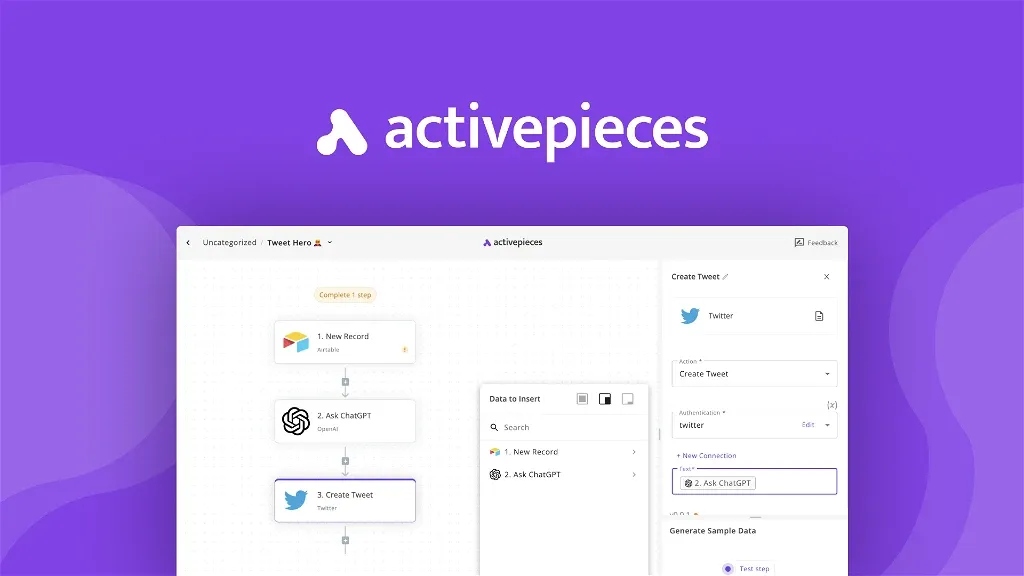
Activepieces is a rising star in no-code automation, positioning itself as an open-source alternative to Zapier with a special focus on AI workflows. It has an intuitive visual builder where you create flows using “Pieces” (pre-built integrations or logic steps), similar to Zapier’s blocks. Uniquely, Activepieces embraces AI: you can incorporate AI decision-making or content generation in your flows, and even create AI agents that perform multi-step tasks.
Key Features
- No-Code, AI-First: Activepieces caters to non-technical users with a slick UI. You can connect apps (Gmail, Slack, Xero, etc.) easily, and integrate AI services like OpenAI or HuggingFace with native pieces. For example, you might auto-draft an email response using GPT and then send it via Outlook – all without coding.
- Extensible “Pieces” Framework: Under the hood, pieces are just TypeScript modules (Activepieces is built in Node/TS). Developers can write new pieces or edit existing ones for custom needs. The framework is type-safe and even supports hot-reloading for development, making it friendly for contributors.
- Unlimited Self-Hosted Runs: Unlike Zapier’s task limits, Activepieces doesn’t impose run limits when self-hosted. This means you can automate high-volume processes (tens of thousands of tasks) without worrying about hitting a paywall. Your only scaling limit is your server’s capacity.
Community & Roadmap
- Fast Growth & Funding: Activepieces only launched in late 2022, and by early 2025 it had already crossed 10k GitHub stars and is now over 20k – reflecting its popularity as a Zapier alternative. The team (based in the Middle East and US) has secured seed funding and is rapidly adding integrations.
- Active Dev Releases: The project is very actively maintained – updates come out almost weekly, often adding new “pieces” contributed by the community or the core team. For example, over 60% of pieces are community-contributed already, showing strong outside involvement.
- Local Community Use: In Australia, Activepieces is attractive to small businesses and startups that want automation without hiring developers. We’ve seen marketing teams at an NSW fintech use it to automate lead nurturing with AI: e.g. an inbound form triggers Activepieces to summarize the inquiry with GPT and log a task in Trello. The fact that it’s MIT-licensed and free to self-host lowers the barrier for adoption greatly.
Security & Compliance
| Feature | Benefit |
|---|---|
| Self-Host & Data Control | You can self-host Activepieces (Docker-based), meaning all data passing through your workflows can stay on servers you operate. This is crucial for privacy – e.g. an Activepieces instance running on an Azure Australia VM can ensure data never leaves AU borders. |
| SOC 2 Compliance (Cloud) | The team claims their cloud is SOC 2 Type II compliant. While that’s more relevant if you use their hosted service, it indicates a security-conscious culture. Self-hosted users can implement similar controls. |
| Piece Isolation & OAuth | Each integration (piece) uses secure methods (OAuth2 where possible, API keys stored encrypted). You define credentials in a separate “Connections” section, and the system never exposes them in logs. Also, by design, Activepieces flows run in a sandbox that prevents one flow from interfering with others, which is good for multi-team orgs. |
Running Activepieces inside your firewall can help with Australian regulations like the Privacy Act – e.g. you might use it to move personal data between systems but keep that data within your AWS Sydney environment throughout the process. Always ensure you enable HTTPS and update the container for the latest security patches (the project provides frequent security fixes in their changelogs).
Pricing Snapshot
| Edition / Tier | Cost (AUD) | Ideal For |
|---|---|---|
| Self-host (Community) | $0 (plus hosting) | SMEs/startups. Full functionality, no limits. MIT licensed – host it yourself on a small VM or even a Raspberry Pi. |
| Activepieces Cloud | 50+/mo (tiers) | Those who don’t want to maintain servers. The cloud version has a generous free tier (community-driven) and paid plans for higher task volumes. Note: non-AU servers (primarily US/EU), so consider data sensitivity. |
| Enterprise Self-Hosted | Custom (if using embed or support) | Larger businesses that might embed Activepieces into their own product (they offer an embeddable automation builder for SaaS apps) or need dedicated support/SLAs. |
Note: Activepieces is open source (Community Edition) under MIT, and the company makes money with a hosted model and an embeddable OEM offering. For an Aussie SME, the free self-host route is usually sufficient – you get unlimited automations without SaaS bills.
Apache Airflow

Apache Airflow is the veteran in this list – an open-source platform originally created by Airbnb (circa 2014) to programmatically author, schedule, and monitor workflows. It’s ideal for data pipelines and complex job orchestration: with Airflow you write Python code to define Directed Acyclic Graphs (DAGs) of tasks, then Airflow’s scheduler runs those tasks on a schedule or trigger. It’s overkill for simple one-step automations, but for multi-step data processes (ETL, reporting, machine learning pipelines), Airflow is a proven, enterprise-grade solution.
Key Features
- DAG-Based Orchestration: You define workflows in Python code, declaring tasks and their dependencies (Task B waits for Task A, etc.). Airflow then handles executing each task in order, whether it’s running a Spark job, a SQL query, or sending an email. This is excellent for data engineers who need fine-grained control and complex logic.
- Extensible Operators: Airflow comes with a large library of operators/hooks – pre-built integrations for databases, cloud services, APIs, etc. For example, there are operators for AWS S3, Google BigQuery, Hive, Snowflake, Slack notifications, and many more. If an integration doesn’t exist, you can pip install a community provider or write your own operator.
- Monitoring & Retries: Airflow’s UI shows you running and past workflows, with gantt charts and logs for each task. Failed tasks can be set to automatically retry X times, and you can get alerts on failures. This built-in observability is crucial for reliable production workflows (no more silent failures).
Community & Roadmap
- Mature Project, Huge Community: Airflow became an Apache Top-Level Project in 2019 and has over 44k stars on GitHub. It’s maintained by hundreds of contributors worldwide and used by companies like Airbnb, Google, Netflix, and many in the Australian data scene (think fintech and telecommunication companies dealing with big data). The release cadence is frequent (several minor releases each year, with version 3 in 2025 bringing performance improvements).
- Ecosystem & Providers: The community actively develops “provider” packages (for integrations) outside the core, so the ecosystem keeps growing. For instance, in 2025 support was added for newer tools like dbt and Great Expectations. There are also multiple managed Airflow services (Astronomer, AWS MWAA, Google Cloud Composer), which indicates a strong commercial ecosystem around the open source.
- Adoption in AU: Many mid-to-large Australian enterprises use Airflow for data engineering – banks for batch processing, media companies for content pipelines, etc. It’s a de-facto standard for orchestrating data workflows. There’s an Airflow Meetup group in Sydney that shares best practices, and local talent with Airflow experience is plentiful.
Security & Compliance
| Feature | Benefit |
|---|---|
| On-Prem Deployment | You can deploy Airflow within your secured network (on AWS/Azure AU regions or on-premises). No data needs to leave your control. This is key for industries like healthcare or finance in Australia concerned about cloud sovereignty. |
| User Access Controls | Airflow has user authentication and role-based access control for the UI. You can integrate with enterprise auth (OAuth, LDAP). This ensures only authorized staff can view/trigger certain workflows – supporting internal compliance. |
| Logging and Audit Trails | Every task execution produces logs and metadata. These can be archived to S3 or mounted storage. For compliance, you have a clear audit trail of what ran when, by whom, and the outcome. This helps with demonstrating control for regulations (e.g., APRA in finance sector). |
| Encryption & Secrets | Connections (credentials to external systems) are stored in Airflow’s backend and can be encrypted. It also supports fetching secrets from Vault or AWS Secrets Manager, so you’re not hard-coding passwords. Combined with network security (you should run Airflow UI behind VPN or secure HTTPS), the platform can be locked down to meet ISO 27001 or similar standards. |
One consideration: because Airflow is powerful, ensure you limit who can edit DAGs in production – you don’t want an inexperienced user accidentally scheduling a job that overloads a system. This can be handled by proper roles and a dev/test/prod environment separation.
Pricing Snapshot
| Edition / Tier | Cost (AUD) | Ideal For |
|---|---|---|
| Self-Hosted OSS | $0 (infra cost only) | Teams with DevOps resources. You might run it on a Kubernetes cluster or even a single VM. Expect to invest time in setup/maintenance, but no license fees. |
| Managed (Astronomer, MWAA) | Varies (e.g. Astronomer starts ~$150+/mo) | Companies that want Airflow without the ops headache. Astronomer.io (which has an Aussie presence) or cloud providers run Airflow for you. More expensive, but you get support and uptime guarantees. |
| Enterprise Support (Apache) | N/A (community support) | Airflow doesn’t have a paid “Enterprise version” – it’s all one open source. However, you can buy support/contracts from third-party firms or hire consultants. |
In summary, Airflow is free and extremely powerful, but comes with an implementation cost (you need people to run it). For Australian organisations dealing with significant data workflows and in need of compliance, that trade-off is often worth it – you get full control and no ongoing license burden.
Huginn
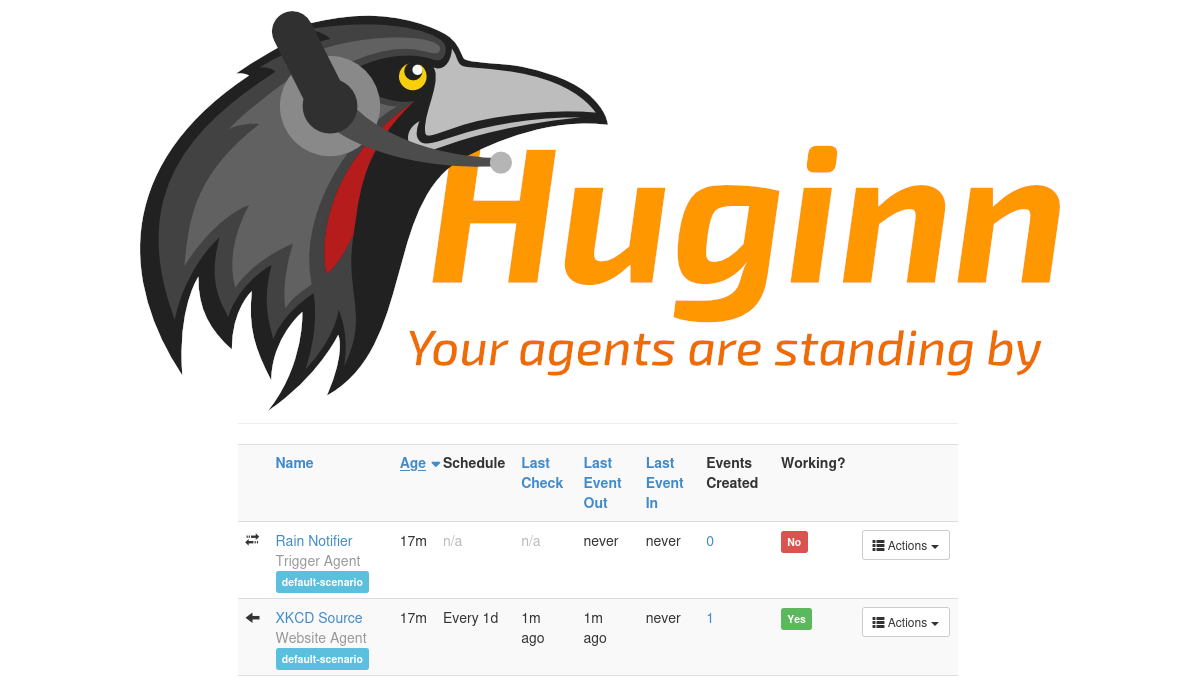
Huginn is like having your own private IFTTT or Zapier that you can hack to do exactly what you want. It’s an open-source system for building “agents” – small programs that monitor data or events and act on your behalf. With Huginn, you can do things like watch RSS feeds or APIs for updates, scrape websites, receive emails, then trigger actions like sending alerts or posting data somewhere. All of this runs on your server, under your control. Huginn is written in Ruby on Rails and has been around for a decade, proven by its large community.
Key Features
- Totally Customizable Agents: Huginn comes with dozens of built-in agent types (for example: an Email Agent, Website Agent for scraping, RSS Agent, Weather Agent, Stock Price Agent, etc.). You can chain agents together – e.g., a Website Agent checks a price on a site, then triggers an Email Agent to send you if conditions meet. If an agent you need doesn’t exist, you can create one in Ruby or as a gem.
- Event-Driven Architecture: Agents emit events that other agents can consume. This pub/sub style makes it easy to build multi-step automations. You can also schedule agents (run every hour/day) or have them react in real-time to incoming webhooks or data.
- Web UI for Configuration: While technical, Huginn provides a web interface to create and configure agents, view their event logs, and troubleshoot. It’s not as pretty as modern tools, but it’s functional. Think of it as a power-user tool – there’s a learning curve, but immense flexibility.
Community & Roadmap
- Long-Term Community Support: Huginn was created by @cantino in 2013 and has since had many contributors maintain and improve it. It has ~48k GitHub stars, which shows its enduring popularity. The project is mature and stable; it doesn’t have frequent major changes, but the community does update it for security and minor enhancements. Many forks exist for specific use cases.
- Use Cases in the Wild: Because of its versatility, Huginn is used for lots of niche automation. For instance, some Australian users deploy Huginn to monitor government data portals and send alerts on changes. Others use it as a poor man’s security system (monitoring IP cameras or tweets for certain keywords). The community forum (and r/selfhosted on Reddit) has plenty of recipes shared.
- Roadmap: Huginn doesn’t have a flashy startup behind it, so development is incremental. Don’t expect huge new features; instead, you can expect it will continue to be maintained as a reliable toolkit. Its strength is that it’s self-hosted and hackable – if a new API comes out, you can write an agent for it without waiting on a vendor.
Security & Compliance
| Feature | Benefit |
|---|---|
| Runs on Your Server | Huginn typically runs on a Linux server or Docker container you control. This means all the data it gathers (which could be personal or sensitive) stays with you. For example, if you use Huginn to aggregate customer social media mentions, that data isn’t sent to any third-party cloud – good for privacy considerations. |
| No External Dependencies | Huginn doesn’t rely on external services (aside from the data sources you connect). It uses a MySQL/PostgreSQL database to store information and you can secure that within your network. This aligns with data sovereignty – e.g. host it on an Australian server and you’re avoiding foreign jurisdiction concerns entirely. |
| User Access Control via Devise | Huginn uses the Devise auth system (Rails) and you can set it up so that only authorized users in your org can access the UI. While it’s often used by a single user, you can technically create multiple accounts with roles if needed. Always enforce strong credentials or integrate with your SSO. |
| Auditable Actions | Since Huginn is essentially code, every action it takes is traceable. You have the agent configurations (which act as documentation of what you’re monitoring/automating) and event logs. If needed, you can justify to auditors how data flows by showing these configurations – similar to showing code. |
One caution: Huginn can perform web scraping and data collection – be mindful to do this ethically and in line with the Privacy Act if personal data is involved. Also, because Huginn can execute arbitrary web requests, treat it as you would a script running on a server – hardened OS, behind firewall, etc., especially if agents interact with internal systems.
Pricing Snapshot
| Edition / Tier | Cost (AUD) | Ideal For |
|---|---|---|
| Self-Hosted Huginn | $0 (open source) | Developers or IT hobbyists in SMEs who can host a Rails app. You pay only for a VM or container resources (which could be as low as $5-10/month on a VPS). |
| Managed Alternatives | N/A (no official) | There’s no official managed Huginn service. If you need a hosted solution, you might consider SaaS like IFTTT/Zapier (costly and data abroad) or find a consultant. Most will self-host or use Cloudron/CapRover to simplify deployment. |
| Customization Cost | Time investment | Because it’s free, the “cost” is your time to configure agents. For a business, allocate some hours for an IT staff to set up initial agents. After that, it tends to run with minimal intervention. |
Huginn’s value prop is strong for tinkerers: you eliminate ongoing fees and can automate almost anything if you’re willing to get your hands dirty.
Kestra

Kestra is a cutting-edge open-source orchestration platform that has quickly gained traction for being both developer-friendly and UI-friendly. It’s often described as “if Airflow and a no-code tool had a baby.” With Kestra, you can define workflows as code (YAML files, treating workflows like version-controlled artifacts) and let non-engineers trigger and interact with those workflows via a web UI. It’s event-driven and cloud-native – built to run on Kubernetes, handle millions of tasks, and integrate with modern data stacks. Kestra is relatively new (launched ~2021) but already considered one of the fastest-growing orchestrators, even securing an $8M seed funding in 2024 to accelerate development.
Key Features
- “Everything-as-Code” with UI: Workflows in Kestra are defined in YAML (or JSON), which means you can store them in Git, do code reviews, and apply Infrastructure-as-Code best practices. At the same time, Kestra provides a rich UI where users can create and run workflows without coding – suitable for data analysts or ops folks who prefer a GUI. This dual approach bridges the gap between rigid no-code and code-only systems.
- Event-Driven & Real-Time: Kestra excels at event-based triggers. You can set workflows to fire on file uploads, messages, API calls, or schedule. Its architecture supports high-throughput scenarios (the company boasts of billions of tasks executed). For example, an e-commerce company can have Kestra listen for a “new order” event and then orchestrate a series of tasks (payment capture, email, inventory update) with millisecond latency.
- Massive Integration Library: Out-of-the-box, Kestra has 1100+ plugins to connect with databases, SaaS apps, cloud services, and more. Need to run a BigQuery query, trigger a dbt transformation, then send a Slack alert? It’s all available. This plugin count outstrips many competitors, meaning less custom work for your team to integrate with existing tools. Plugins are modular, so you only install what you need.
Community & Roadmap
- Rocketship Growth: Kestra has gained ~26k stars on GitHub in a short time. The team behind it (Kestra Technologies) is actively growing, and the open-source project is very active – major updates every few months. They’ve fostered a community of over 750 contributors (likely many via plugins). This rapid growth got noticed in venture circles, leading to a high-profile seed round (led by Alven) in 2024.
- Enterprise Adoption: Even before a 1.0 release, Kestra landed some big users. TechCrunch noted that thousands of organizations were already using it by 2024 – including notable names like Fila and Leroy Merlin. In Australia, data-driven companies (especially those already on Kubernetes) are experimenting with Kestra as a more modern alternative to Airflow. It’s attractive because it’s built with today’s stacks in mind (e.g., easy to integrate with Docker containers, cloud storage events, etc.).
- Roadmap: The focus is on adding more integrations and polishing the platform. Features like versioning of flows, team collaboration (multi-user), and more advanced logic (branching, looping) are on the requested list. Given it’s open-source (AGPL for the community edition), contributions from the community also drive new connectors. The team monetizes via the cloud service and an upcoming Enterprise edition, which likely means they will continue actively maintaining the OSS base.
Security & Compliance
| Feature | Benefit |
|---|---|
| Sovereign Deployment (K8s) | You deploy Kestra on your own Kubernetes cluster (or VM), meaning data stays wherever you host. Australian enterprises can deploy it on Azure/AWS in-country or on-prem OpenShift, satisfying data locality concerns. |
| Access Controls & Multi-Tenancy | Kestra Enterprise Edition adds granular security (RBAC, namespaces for multi-team isolation, etc.). Even the OSS version supports namespace-level isolation of workflows, so teams’ data/processes don’t mix. This is useful for compliance if you have departments with different data sensitivities. |
| Audit Logs & Versioning | Every workflow (YAML) is versioned (GitOps approach), so you have a full history of changes. Execution logs can be streamed to monitoring systems. This traceability helps in audits – you can answer “who ran what, when” easily. Also, by managing workflows as code, you reduce the risk of unauthorized or untracked changes (tie changes to Git commits and approvals). |
| Encryption & Secrets Management | Kestra can integrate with Vault or K8s secrets to manage credentials. All config can reference encrypted secrets, meaning no plain-text passwords in configs. It also supports TLS for all communication. Given it often orchestrates sensitive data movements, this emphasis on encryption and secret-handling is key. |
If you use Kestra to orchestrate personal data (say in health or finance contexts), you’d also want to enforce strict access controls – e.g., run it on a dedicated network, use SSO for the UI, and ensure appropriate data retention policies on workflow logs. The good news: because you run it, you can configure all of that.
Pricing Snapshot
| Edition / Tier | Cost (AUD) | Ideal For |
|---|---|---|
| Open-Source Edition | $0 (self-host) | Lean teams and mid-size companies with in-house DevOps. All core features included. Community support via Slack/Discord. |
| Enterprise Edition | Likely subscription (contact sales) | Larger enterprises needing official support, additional security modules (SSO, advanced RBAC) and governance features. Cost is likely significantly lower than proprietary BPM tools, but details aren’t public. |
| Kestra Cloud (Managed) | Not publicly priced yet (in beta) | Organisations that want the power of Kestra without operating it. When available, expect a usage-based pricing. You’d still choose an AU region to deploy for data residency. |
Bottom Line: Kestra is an exciting option if you want to future-proof your workflow automation with a platform that can span simple and complex use cases. The fact that it’s open-source and can be self-hosted in Australia makes it attractive from a compliance standpoint as well.
Automa
Automa is a different breed of orchestration tool – it’s all about automating your web browser. It’s an open-source Chrome extension that lets you create automation workflows by connecting blocks (actions, inputs, etc.) right in the browser UI. Think of it as a robotic process automation (RPA) agent living in your browser, capable of doing things like auto-filling forms, clicking through pages, scraping data, and more. If you’ve ever used UIPath or Selenium, Automa is like a lightweight, no-code version specifically for browser tasks. It has gained popularity among growth hackers, QA engineers, and anyone who finds themselves doing repetitive web tasks.
Key Features
- Visual Block Builder: You don’t need to write code to use Automa. You add blocks in a flowchart-style editor. For example, blocks include “Go to URL”, “Click element”, “Extract text”, “Take screenshot”, “Wait X seconds”, etc. You sequence these to create a script. This is all done within the extension’s interface in Chrome or Edge.
- Browser Native: Because it’s an extension, Automa can interact natively with web pages you have open. It can run automations on a schedule or via a trigger (like you pressing a hotkey). It can also listen for events like a page finishing loading. This native approach avoids needing a separate server or cloud – it literally drives your own browser (headlessly or visibly).
- Data Outputs & Integration: Automa can output data from web pages and pass it to other services. For instance, it can scrape a table from a website and then call a webhook or send the data to an API of your choosing. It even has blocks for things like Google Sheets (to save data) or emailing results. In recent versions, they added an AI Power feature allowing integration of AI to process scraped content (e.g., summarize text after scraping a page).
Community & Roadmap
- Strong User Base: Automa has over 50,000 users worldwide – which is huge for a browser extension of this nature. Its GitHub stars skyrocketed from ~6k to 21k within 2025, partly due to TikTok and YouTube tutorials making the rounds. Non-developers find it an accessible entry to automation.
- Updates and Future: The developer, @Kholid060, actively maintains the project. In 2025, Automa saw frequent releases (v1.30, v1.31, etc.) adding features like file download support, better error handling, and AI integrations for vision (e.g., find a button by text using OCR). The roadmap likely includes more integrations with external services (perhaps direct hooks to Slack, etc.), and improving the reliability of long-running workflows.
- Usage in AU: We’ve observed Australian small businesses using Automa for things like scraping competitor prices from websites daily, automating social media actions (one growth hacker set it to auto-like and follow in certain web apps), and even routine internal tasks like pulling data from one web portal and inputting into another that has no API. It’s a bit of the Wild West – because it automates the front-end, you should ensure you’re not violating terms of service of web apps when using it commercially.
Security & Compliance
| Feature | Benefit/Caveat |
|---|---|
| Runs Locally | Automa runs in your browser on your machine. This means it isn’t sending your data to a third-party server (the automation logic is all client-side). For sensitive web tasks, this is good – e.g., you can automate an internal web app without exposing it to an external cloud service. |
| No Credentials Stored Externally | Any login automation you do (e.g., filling a password) relies on your browser session or storing credentials in the workflow (which are saved locally). There’s no server in the loop. However, be mindful that if you share an Automa workflow file with someone, you might inadvertently share embedded credentials – treat those carefully. |
| Chrome Extension Permissions | When you install Automa, it requires certain permissions (access to websites, etc.). It’s open source, so you can inspect the code to ensure it’s not doing anything nefarious. Enterprise users could even build it from source. Ensure you trust it or have reviewed it, as with any extension, since it has broad access to your web pages (by design). |
| Compliance Consideration | Because Automa can scrape and automate any content you have access to, ensure you use it in compliance with privacy laws. For example, automating extraction of personal data from a system – you need the same authority to handle that data as if you did it manually. The tool itself won’t enforce anything, it’s up to your policies. |
One thing to note: Automa isn’t a centralized platform – it’s individual to each user. So if a team of people want to share an automation, they have to export/import the flow. There’s no server storing flows (unless you sync via something like Google Drive manually). From a governance perspective, this is both good (no single point of leak) and challenging (harder to track who’s running what automation in a company).
Pricing Snapshot
| Edition / Tier | Cost (AUD) | Ideal For |
|---|---|---|
| Automa Extension | $0 | Anyone using Chrome/Edge. Full functionality is free. You just install from source or Chrome Web Store. |
| Donations / Sponsor | Optional | The project survives on GitHub sponsors/donations. Businesses using Automa heavily might consider sponsoring to ensure its longevity, though it’s not required. |
| Similar RPA Tools | N/A (for comparison) | Paid RPA software like UIPath can cost thousands – Automa is an example of saving big by using open-source, if it meets your needs. |
In short, Automa is a zero-cost way to automate web tasks and can save a lot of employee hours. It’s best for one-off personal automations or small-scale scenarios. It’s not centrally managed, so for mission-critical or large-scale automation, a server-based tool (like others on this list) might be better.
Automatisch
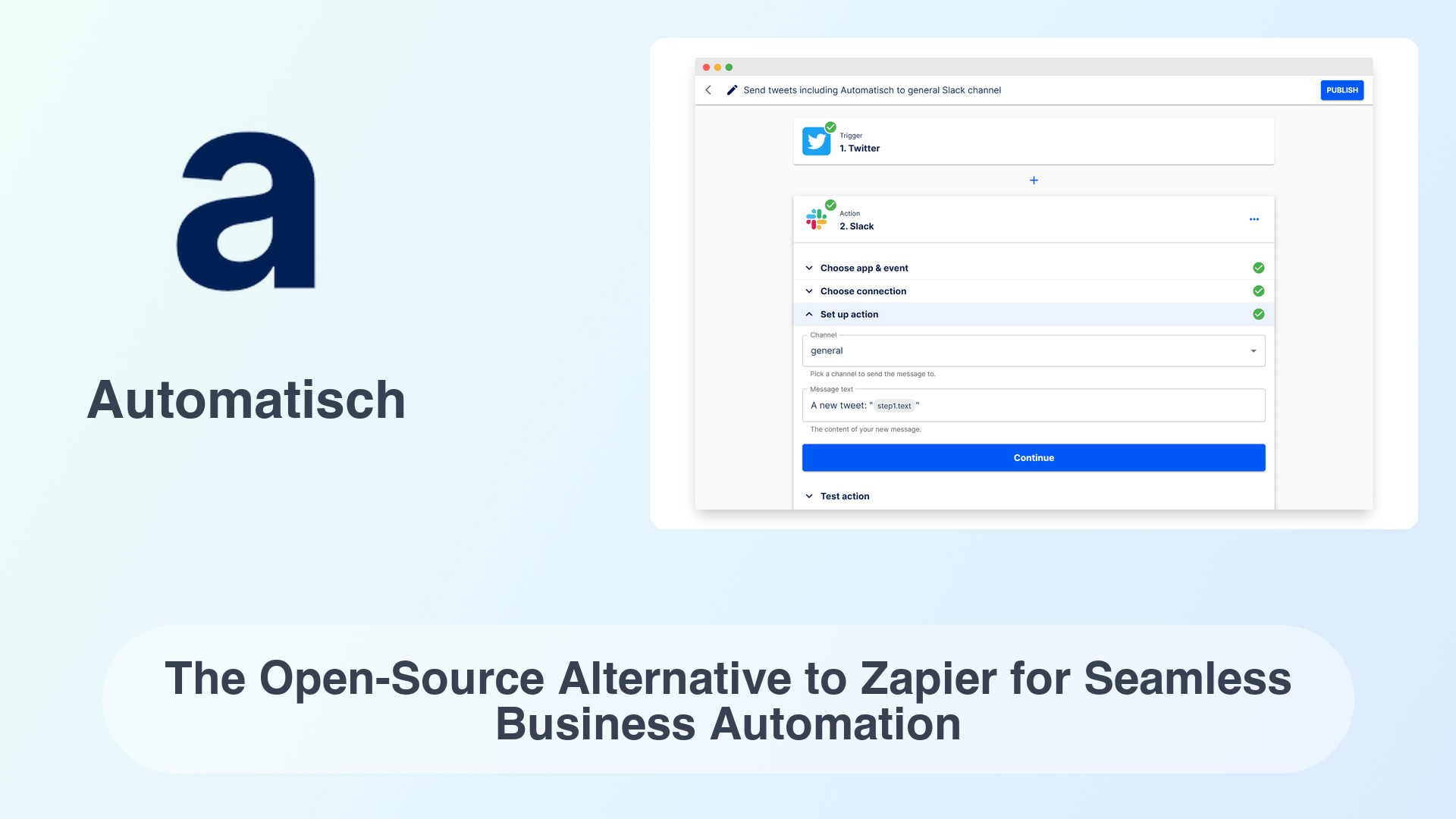
Automatisch (German for “automatic”) is a self-hosted alternative to Zapier that focuses on enabling business process automation without any coding, all while keeping data in-house. It provides a web interface much like Zapier or Integromat: you set up “Flows” with triggers and actions, connecting apps like Twitter, Gmail, Stripe, Slack, etc. What sets Automatisch apart from SaaS competitors is that you deploy it on your own server – giving you data privacy, unlimited usage, and no vendor lock-in. It’s relatively new (started in 2022 by a small Berlin-based team) but has quickly gained traction among those looking to save on Zapier fees.
Key Features
- Familiar Zapier-Like UI: If you’ve used Zapier, you’ll feel at home. Automatisch’s UI has a library of apps (integrations), triggers (events like “New row in Google Sheet”) and actions (“Create record in CRM”). You can graphically create multi-step workflows. This makes it accessible to non-tech staff – they can build automations by clicking and configuring, not coding.
- On-Premise and Cloud Options: You can self-host Automatisch via Docker – it’s a single container that includes the app and worker. For those who don’t want to self-host, the team offers a managed cloud service. But importantly, even the cloud version is separate per customer (each instance), and they emphasize GDPR compliance. Still, Australian users will likely self-host to ensure data sovereignty.
- Integrations & Growing Library: Automatisch supports ~80+ popular apps (and counting). This includes the usual suspects: Slack, Google Workspace (Sheets, Gmail, etc.), Stripe, HubSpot, Shopify, etc. While its library isn’t as huge as Zapier’s thousands, it covers many common needs. They also provide a way to request new integrations or even build your own (the backend is in Node.js).
Community & Roadmap
- Steady Growth: With ~13k GitHub stars, Automatisch has a solid community for a young project. It’s not as explosively growing as n8n or Activepieces, but it has a dedicated user base. The core developer (Omer) is active on forums and Reddit, engaging with early adopters.
- Use Cases: Many small businesses and startups are using Automatisch to replace paid automation services. For example, a Brisbane online retailer uses it to connect their WooCommerce store to Xero and Mailchimp – tasks that were costing hundreds per month on Zapier are now handled by Automatisch for free. It’s also used internally by IT teams to glue together tools (e.g., when an alert comes in, Automatisch creates a Jira ticket and sends a Teams message).
- Roadmap: The focus is on adding more integrations and polishing the platform. Features like versioning of flows, team collaboration (multi-user), and more advanced logic (branching, looping) are on the requested list. Given it’s open-source (AGPL for the community edition), contributions from the community also drive new connectors. The team monetizes via the cloud service and an upcoming Enterprise edition, which likely means they will continue actively maintaining the OSS base.
Security & Compliance
| Feature | Benefit |
|---|---|
| Self-Hosting = Data Sovereignty | By running Automatisch on your own server, you ensure data processed in your flows (customer info, leads, etc.) never goes to an external third party. This is a big win for Australian businesses worried about the Cloud Act or foreign government access – your automation server is under Australian jurisdiction entirely. |
| AGPL License (Community Edition) | The AGPL license guarantees the source remains open and modifiable. From a security standpoint, you (or hired experts) can audit the code for any vulnerabilities or backdoors. There’s transparency that proprietary SaaS can’t offer. |
| Encryption & HTTPS | You should run Automatisch behind HTTPS (e.g., via an Nginx reverse proxy with Let’s Encrypt). The app supports configuring TLS. Additionally, sensitive credentials for integrations (API keys, tokens) are stored encrypted in its database. This aligns with good practice under Privacy Act – protect personal info in transit and at rest. |
| User Management | Currently, Automatisch is typically single-user (one admin managing flows). But you can integrate it with your internal auth if needed (since it’s just a web app). For compliance, restrict access to those who design workflows. The upcoming enterprise version will likely add role-based access which could help segment duties (important if flows manipulate PII). |
For general security, treat your Automatisch instance like any other critical application: keep it updated (updates are released frequently), monitor it, and back up its database (so you don’t lose flows or history). The good news is, without per-run costs, you can also run separate instances for dev/test to safely develop new automations before deploying them to “production.”
Pricing Snapshot
| Edition / Tier | Cost (AUD) | Ideal For |
|---|---|---|
| Community Self-Host | $0 (infra cost only) | Tech-savvy SMEs and startups. You spend a bit of time to set it up on a server (even a $20/month VM could be enough for many tasks) and then no ongoing fees. |
| Automatisch Cloud | ~$25/month (Starter Plan) | Those who prefer turnkey. E.g., a small business can pay a flat fee to have it hosted (the company runs it on EU servers though, so mind data location). Good if you lack IT staff, but data will traverse outside AU. |
| Enterprise Edition | Not yet publicly priced | Likely larger companies wanting SLA support, custom feature development, or on-prem support. Given the project’s scale, enterprise fees would still likely be far less than proprietary competitors (and you avoid per-user or per-zap pricing). |
One Australian MSP we know actually offers Automatisch to their clients as part of a package – effectively acting as the “managed host” in Australia. This shows how open-source tools enable local businesses to build services on top, keeping revenue and control within Australia.
How to Choose the Right Workflow Orchestration Tool
Not sure which tool fits your needs? Here’s a quick comparison based on organisation size:
| Factor | Lean Startup (1–10) | Growing SME (10–200) | Mid-Market / Enterprise (200+) |
|---|---|---|---|
| Technical Skills | Minimal or mostly non-technical | Small IT or operations team | Dedicated developers and data teams |
| Best Tools | Activepieces, Automatisch, Automa | n8n, Automatisch, Huginn | Apache Airflow, Kestra, n8n |
| Main Use Cases | Simple task automation, quick productivity wins | Cross-team workflows, app integrations, data syncing | Complex orchestration, compliance-driven processes |
| Data Hosting | Cloud or simple self-hosting | Prefer self-hosted setups | Strict self-hosted or regional cloud |
| Budget Approach | Very cost-sensitive | Moderate infrastructure spending | Budget for infrastructure and support |
Guidance: Start with the tool that covers your most pressing use case with the least complexity. It’s okay to use more than one tool in the organization as long as each is clearly solving a problem. Many mid-sized firms use a combo: perhaps n8n for general ops and Airflow for data engineering. The key is ownership – since these are open-source, you can customize and integrate them freely. If you need help deploying or integrating any of these tools, Cybergarden offers open-source implementation services – we can handle the setup and even custom development, so you get the benefits without the headaches.
Key Takeaways
- Open-source workflow tools eliminate: license costs and vendor lock-in, allowing Australian businesses to automate freely and save money. You’re investing in your capabilities, not lining a software vendor’s pockets.
- Self-hosting and data control: In an era of data breaches and strict privacy laws, keeping your automation and data on Australian soil (or in your cloud account) gives peace of mind and easier compliance with regulations like the Privacy Act.
- Choice and flexibility: Whether you need a no-code solution for quick wins or a robust orchestrator for complex systems, there’s an open-source tool ready. You can even mix them – all without being tied to proprietary ecosystems. And with active communities, these tools are continuously improving at a rapid clip.
Ready to own your automation stack and break free from recurring fees? Book a free strategy chat with Cybergarden – we’ll help you plan, deploy, and get the most out of these open-source workflow tools for your business.
FAQs
Do I need a developer to set up and use these tools?
Not necessarily. Tools like Activepieces, Automatisch, and n8n are designed so that non-developers can create workflows via drag-and-drop interfaces. Installation of the tools does require some IT knowledge (deploying a Docker container or running a script), but Cybergarden or your IT support can handle that initial setup. Once running, business users can usually build and tweak automations themselves – no computer science degree required. That said, for more complex orchestrators like Airflow or Kestra, having a developer or DevOps engineer involved is recommended to get the most out of them.
How do these open-source tools compare to something like Zapier or ServiceNow?
In a nutshell: more control, far lower cost, but a bit more DIY. Zapier is plug-and-play but gets very expensive as you scale (and your data sits in Zapier’s cloud). Open-source alternatives like Automatisch or n8n let you run unlimited workflows for free on your own server, avoiding those costs and keeping data in-house. ServiceNow is a heavyweight enterprise platform with massive scope (and price tag); an open-source stack may require a combination of tools to cover similar ground, but you can tailor it exactly to your needs and avoid six-figure contracts. The trade-off is you (or a partner) manage the infrastructure. Many SMEs find that a small amount of IT effort is well worth the freedom and savings they get in return.
Are open-source workflow tools secure enough for corporate use?
Yes – when properly configured. These tools have strong security features (encryption, access control, audit logs) comparable to proprietary software. The key is in deployment: you should enforce best practices like using HTTPS, putting them behind a firewall or VPN for internal tools, keeping them updated, and restricting user access appropriately. The advantage is you can audit the open-source code for peace of mind (or rely on the community’s eyes on it). Plus, since you control the hosting, you eliminate certain risks – e.g., no third-party cloud staff can access your data. Companies worldwide (including in regulated industries) are successfully using these open-source orchestrators. With a solid implementation plan (where Cybergarden or your IT team follows security benchmarks), they can absolutely be enterprise-grade secure.
What if we outgrow one of these tools or need more features later?
One of the beauties of open-source is that you’re never truly stuck. If you hit limitations, you have options: you can extend the tool (write a plugin or tweak the code) since the source is open. Or you can migrate to another solution – often with less friction than migrating off a proprietary platform, because your data is in standard formats that you control. Also, many of these projects have active roadmaps; features you need might already be in development due to community demand. And in the worst case, since there’s no license lock-in, you can even run two systems in parallel (e.g., keep Huginn for a specific legacy workflow while shifting new workflows to Kestra). In practice, it’s rare to “outgrow” open-source tools – they tend to grow with you, especially with community and enterprise support available.